Get the health history and consent signed before the client arrives
A first facial should not start with a clipboard. Build your intake and consent form once, attach it to the right services, and clients fill and sign it on their phone before they walk in.
Priya runs a small skin clinic with two treatment rooms. For years, every first facial started the same way. The client arrived and got a clipboard in reception. Skin history on the front and medication questions on the back, with a consent line to sign at the bottom. Ten minutes later the form went into a drawer and the treatment finally began. She was selling a sixty minute facial and delivering fifty. The first thing a nervous new client experienced was paperwork.
The fix was not a fancier clipboard. It was moving the questions to the day before, so the chair time is for the treatment.
Build the form once, with the fields you actually need
In Bookatu you build the form yourself, under Clients, then Forms. Give it a name, add a short description so clients know why you are asking, then add fields one by one. There are ten field types, and any field can be marked required, so the form cannot be submitted with that answer missing.
- Short text, for quick answers like the name of their doctor.
- Long text, for anything that needs room, like the skincare products they currently use.
- Single choice or multiple choice, for a skin history checklist or picking one option from a set.
- Dropdown, when you want one answer from a fixed list, like a skin type.
- Consent statement, a line the client has to actively tick to agree to.
- Date, for a date of birth or their last treatment.
- Signature, where the client draws their signature to sign electronically.
Priya kept hers short. Allergies, medications, previous reactions, a couple of consent statements, and the signature at the end. If a question did not change what she would do in the room, it did not make the form.
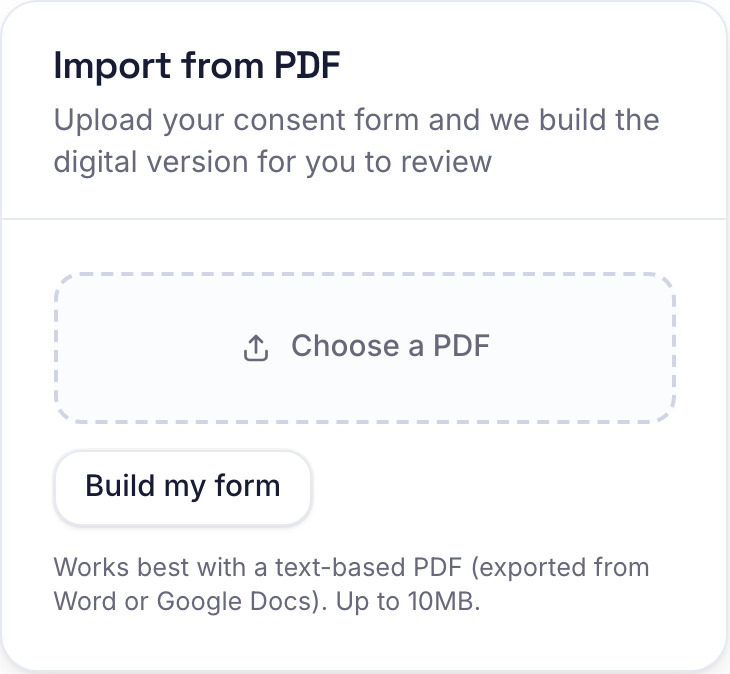
If you already have a consent form on paper, you do not have to rebuild it from scratch. Upload the PDF and Bookatu reads it and drafts the digital version for you. Contact questions become fields that fill themselves in, and the lines a client signs against become consent statements they have to tick. You check the draft, adjust anything, then switch it on.
Attach it to the services that need it
When you save a form you tick the services that require it. Priya ticked her first facial and her peel, and left everything else alone. A regular booking a maintenance facial never sees it.
From then on, when a client books one of those services, the booking confirmation screen shows one extra card. It says there is one quick step before the visit, with a button to complete the form. The client is already holding their phone, so the form gets done at home instead of in your reception.
Each booking gets its own private link. It is a long random address, not something anyone could guess, and it stays tied to that client and that booking. If they close it and come back later, the same link still works. Once they have submitted, the page simply says the details are in, and the form cannot be filled twice.

A signature that happens on their phone
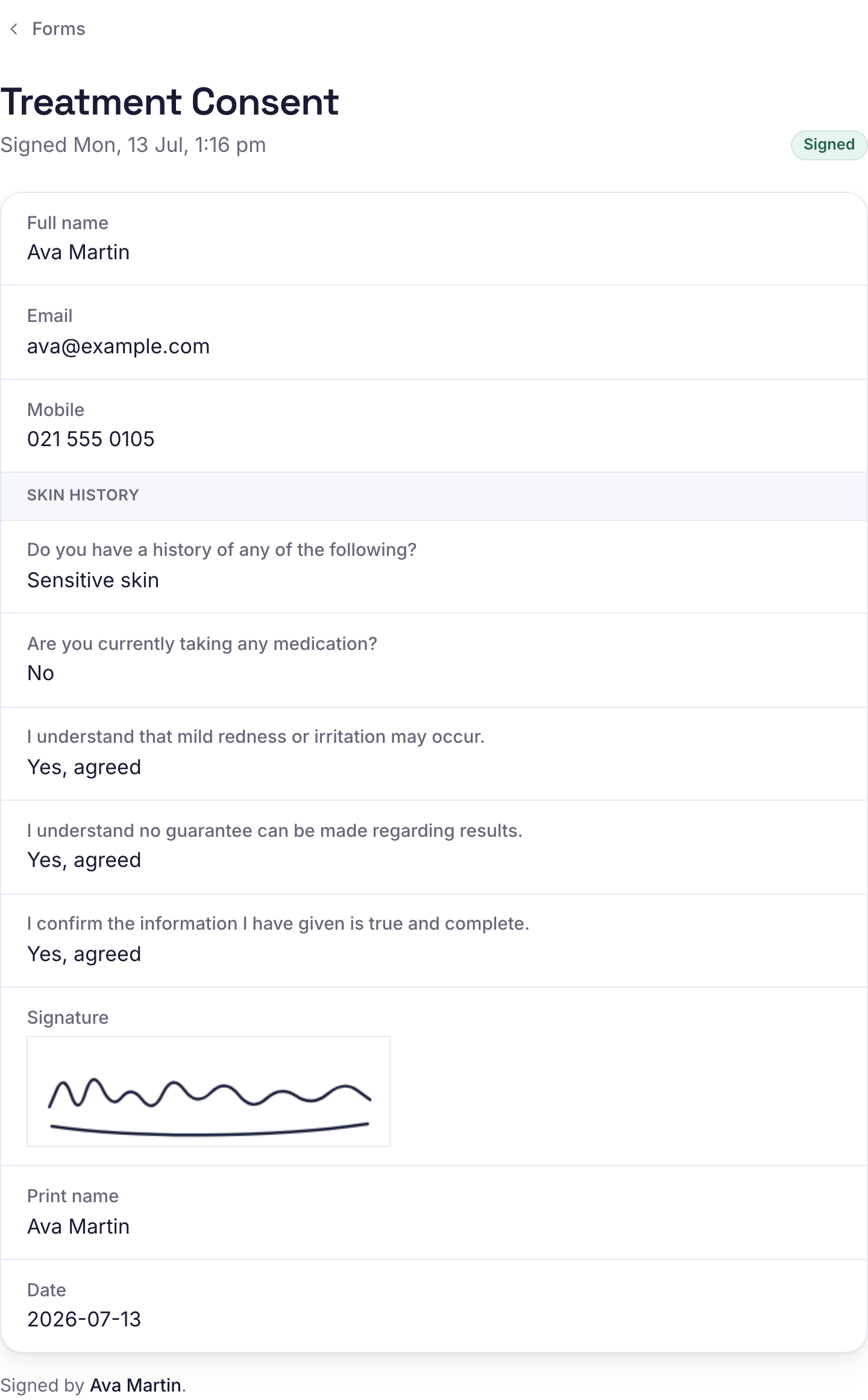
The signature field is a box the client draws in with a finger, the same way they would sign a screen at a checkout. Every consent statement has to be ticked and every required field filled before the form will submit, so it cannot come back with the consent line skipped. The drawn signature is then kept with the client's printed name and the exact time of signing, tied to the booking. For a treatment that needs a consent record, you have one, and it is not in a drawer.
The first ten minutes of a new client's visit used to be admin. Now it is a conversation about their skin.
For the client who booked over the phone
Not every booking comes through the booking page. When Priya books someone over the phone, she taps Get fill link on the forms page and copies a fresh link to text or email. The same trick works when you want an existing client to sign an updated form after a policy change.
Forms have an on and off switch too. Deactivate one and it stops being asked for, without deleting the answers you already collected. When Priya rewrote her peel consent, she switched the old form off and attached the new one to the service.
Not just for clinics
The same feature covers any question you are tired of asking at the door.
- A patch test consent before a first colour appointment.
- A health questionnaire before a first massage or personal training session.
- Aftercare acknowledgement for lash, brow or tattoo work.
- A simple photo permission, so you can ask once and keep the answer.
What the first ten minutes are for now
Priya's new clients walk past reception and straight into the room. She has read their answers before they arrive, so she opens with a question about their skin instead of a pen and a form. The hour she sells is the hour she delivers. The clipboard did not survive the change, and nobody misses it.


