Turn your paper consent form into one clients sign online
You already have a consent form. Upload the PDF and Bookatu drafts the online version for you to check, so you are not rebuilding it field by field.
Almost every salon, clinic and studio already has a consent form. It is a Word document, or a PDF a previous manager made, or a page someone laminated for the front desk. The form is not the problem. The thing that stopped it going digital was the thought of retyping every question into a new tool. So the paper stayed, and clients kept filling it in on a clipboard.
You do not have to retype it. If you have the file, you can start from it.
Upload it and start from a draft, not a blank page
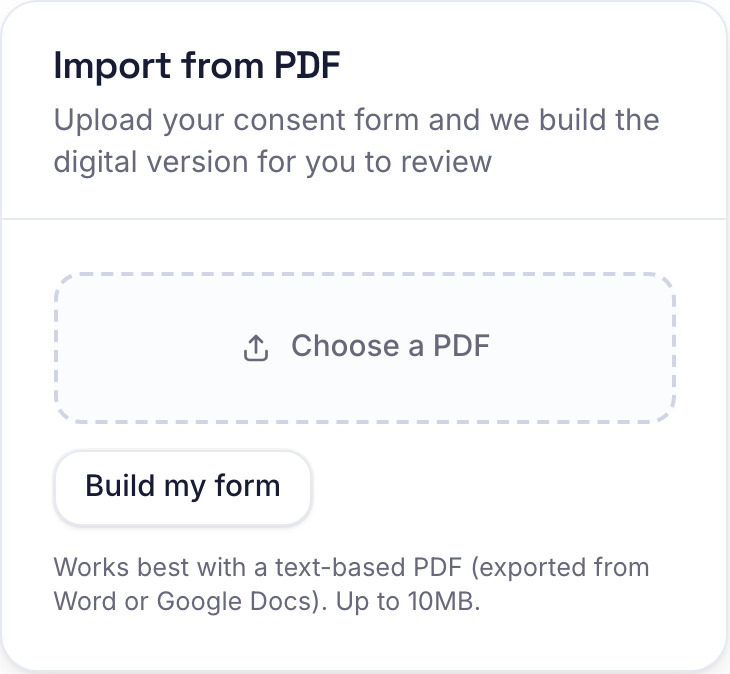
Open Clients, then Forms, and you will see an Import from PDF panel next to the form builder. Choose your file and Bookatu reads the text and turns it into a draft form, question by question. A form that took an afternoon to write becomes a starting point you can have in front of you in a few seconds.
What it does with your questions
It does not just dump the text into one box. It reads the shape of the form and picks a sensible field for each part.
- Name, email and phone become fields that fill themselves in from the client's booking, so they are not retyping what you already have.
- A line the client signs against, like agreeing they understand the risks, becomes a consent statement they have to tick.
- A yes or no question becomes a single choice, and a list to pick from becomes a set of options.
- The signature line at the bottom becomes a box the client draws in with a finger.
It also leaves out the parts that are for you, not the client. A therapist's skin analysis, a treatment plan, a box for staff notes: those are your working notes, not something the client fills in, so they are kept off the client's version.
You read it before anyone else does
The draft is switched off when it lands. Nothing is live until you say so. Read it top to bottom, rename a field, mark the ones that matter as required, delete a question you no longer ask. When it looks right, switch it on and tick the services that should require it. From then on it behaves like any form you built by hand.
When to type it out instead
The import reads text, so it needs a file that actually contains text. A PDF exported from Word or Google Docs is perfect. A photo of a printed page, or a scan, is just an image with no text underneath, so there is nothing to read. If that is all you have, it is quicker to build the form in the editor. Most consent forms are short, and the field types are there waiting.
Either way you end up in the same place. A form your clients complete and sign on their phone before they arrive, with the answers kept against their booking. The difference is only how you got there, and if you already have the file, you do not have to start from nothing.


