Privacy requests and data deletion
Client deletion requests in one queue, with a countdown, plus your own full-business export.
What it is
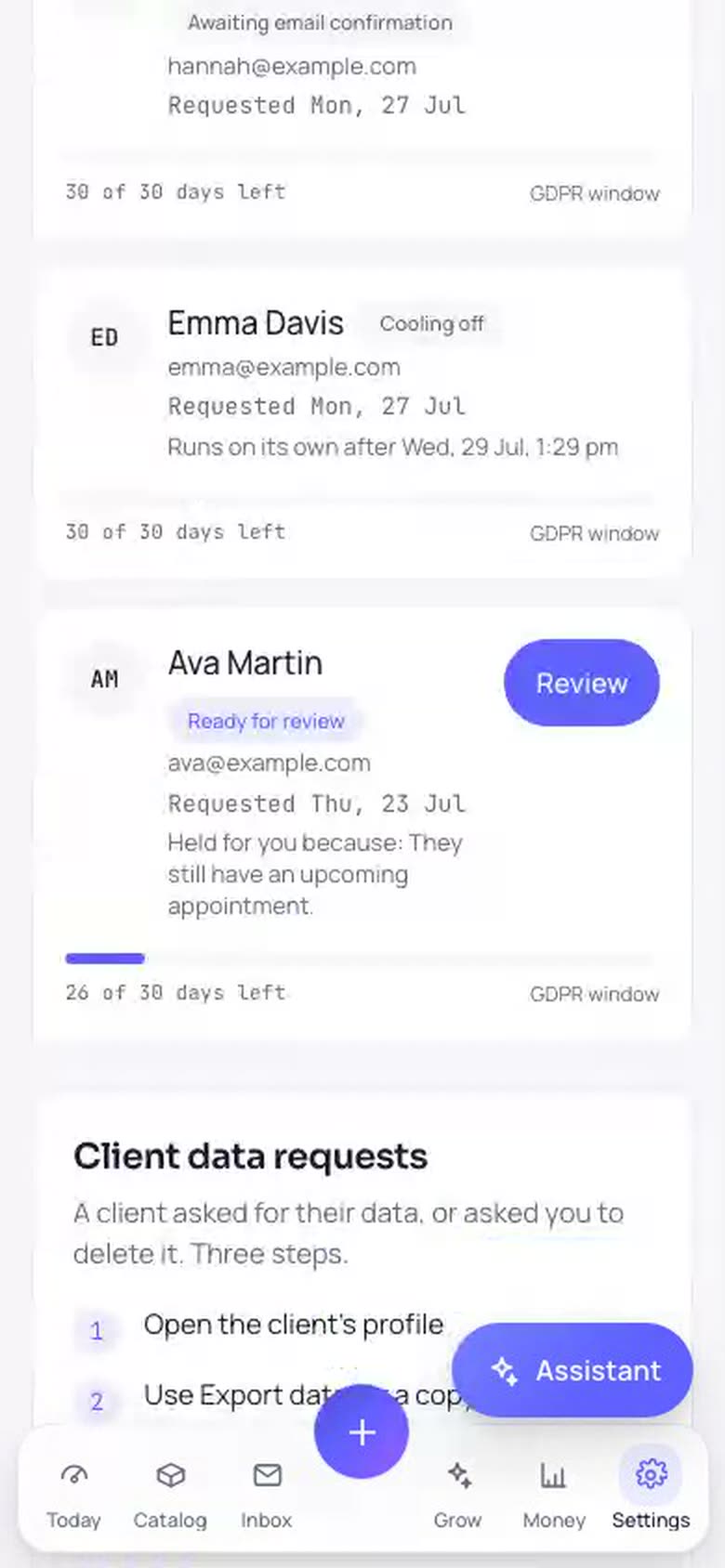
A queue on the Privacy and security screen (under Settings) that tracks every client request to have their data erased. Your clients start these themselves. In their account on your booking page there is a Privacy section where they can download a copy of their data instantly, or request deletion by typing their name and then confirming through a link emailed to them. After they confirm there is a 48 hour cooling-off period where they can still cancel. Most requests then complete on their own, and the queue shows you where each one stands.
Why it helps
Data-protection law (GDPR in Europe) gives clients the right to a copy of their data and the right to have it erased, and expects a response within a month. Bookatu runs the mechanical part for you. Identity is confirmed by email, changed minds get a cancel window, financial records are kept for tax law with the personal details removed, and every active request shows a countdown so you never miss the deadline.
How to use it
- 1Open Settings, then Privacy and security. The Deletion requests card lists every request with its status, such as awaiting email confirmation, cooling off, needs your review, or completed.
- 2Most requests need nothing from you. Once the client confirms by email and the 48 hour cooling-off passes, the erasure runs by itself and the row shows Completed.
- 3A request is held for your review when the account is not settled, for example an upcoming appointment, an unpaid amount, or an active saved-card agreement. The reason is shown on the row in plain words.
- 4When that is resolved, tap Review and complete. You see exactly what will be permanently deleted and what will be kept for tax records with the personal details removed. Type the client's name to confirm, and the erasure runs.
- 5Keep an eye on the countdown on active requests. It shows how many days remain of the one-month response window the law expects.
- 6To download a full copy of your own business, use Export organization data on the same screen. It is owner-only, never includes payment credentials, can run once per day, and sends you a confirmation email each time.
Related guides
Was this helpful?
Didn’t find what you need?
Contact support or browse the FAQ.