Selling retail products in your shop
Sell retail and take-home products from your booking site.
What it is
A Shop on your booking site where clients can buy products, separate from your services and your gift cards. It is the place for retail and take-home items you already stock.
Why it helps
It earns extra revenue from the clients who are already on your page, and it lets you sell the home-care and retail lines you keep on the shelf, without setting up a separate online store.
How to use it
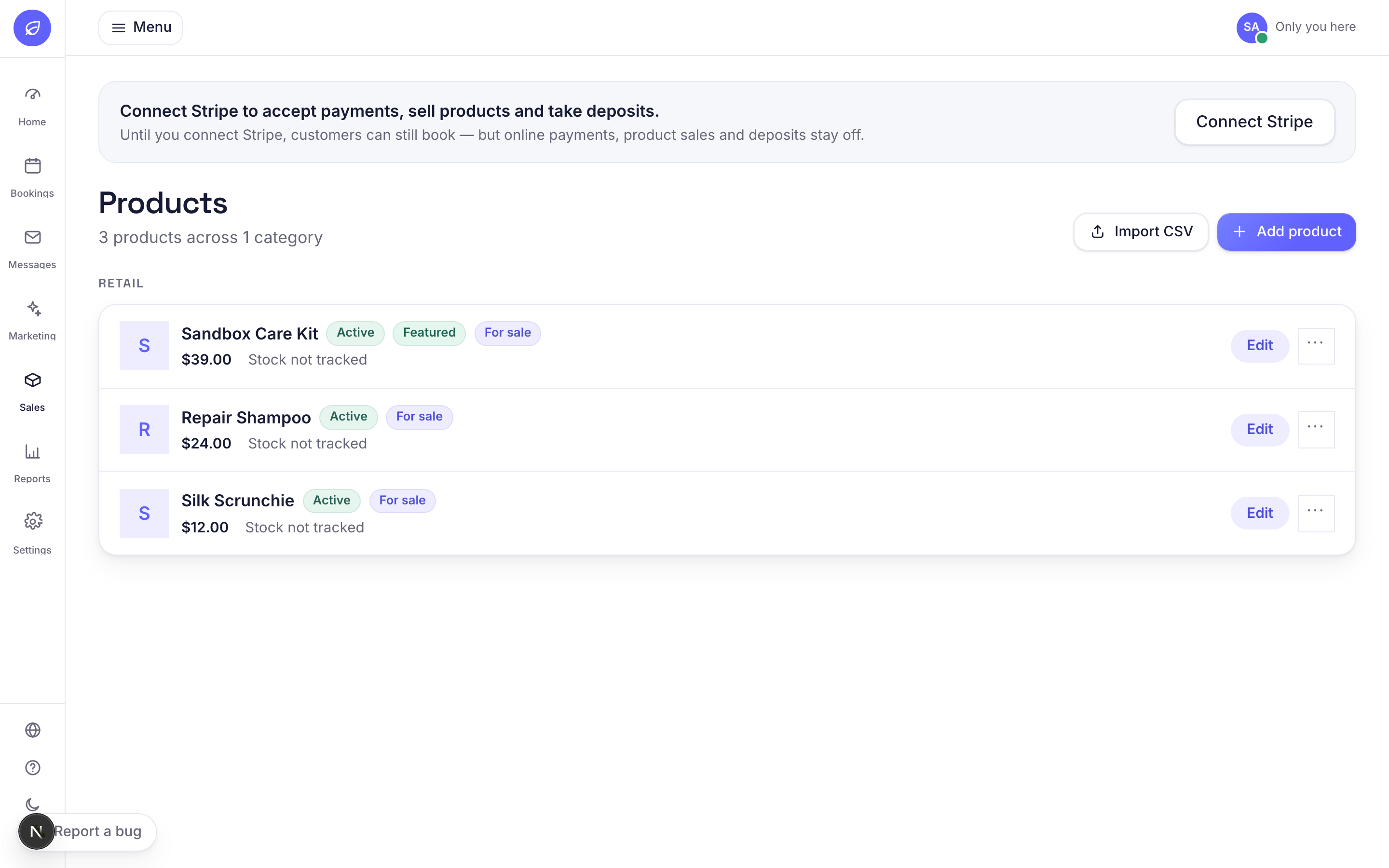
- 1Add a product under Catalog, Shop, with a name, price, an image and an optional SKU.
- 2Stock tracking is optional. Leave stock empty and it stays untracked. Set a number and Bookatu counts it down as the product sells.
- 3Mark a product as purchasable to show the Buy now button on your site, mark it featured to bring it to the top, and use active and the sort order to control what shows and in what order.
- 4Clients pay online through your own Stripe account (see Connecting Stripe for payments), so the money comes straight to you.
- 5Each product is either shipped or collected in store. How that works is covered in Shipping and collect-in-store for product orders.
Related guides
Was this helpful?
Didn’t find what you need?
Contact support or browse the FAQ.