Promo codes and discounts
Run an offer with a code, or set up a standing discount.
What it is
A way to give clients money off, either with a code they type at booking (like a launch offer or a quiet-Tuesday deal) or as a standing discount such as a senior or student rate.
Why it helps
A well-timed offer fills quiet days and rewards loyalty, without dropping your everyday prices. Codes also let you see which promotions actually bring people in.
How to use it
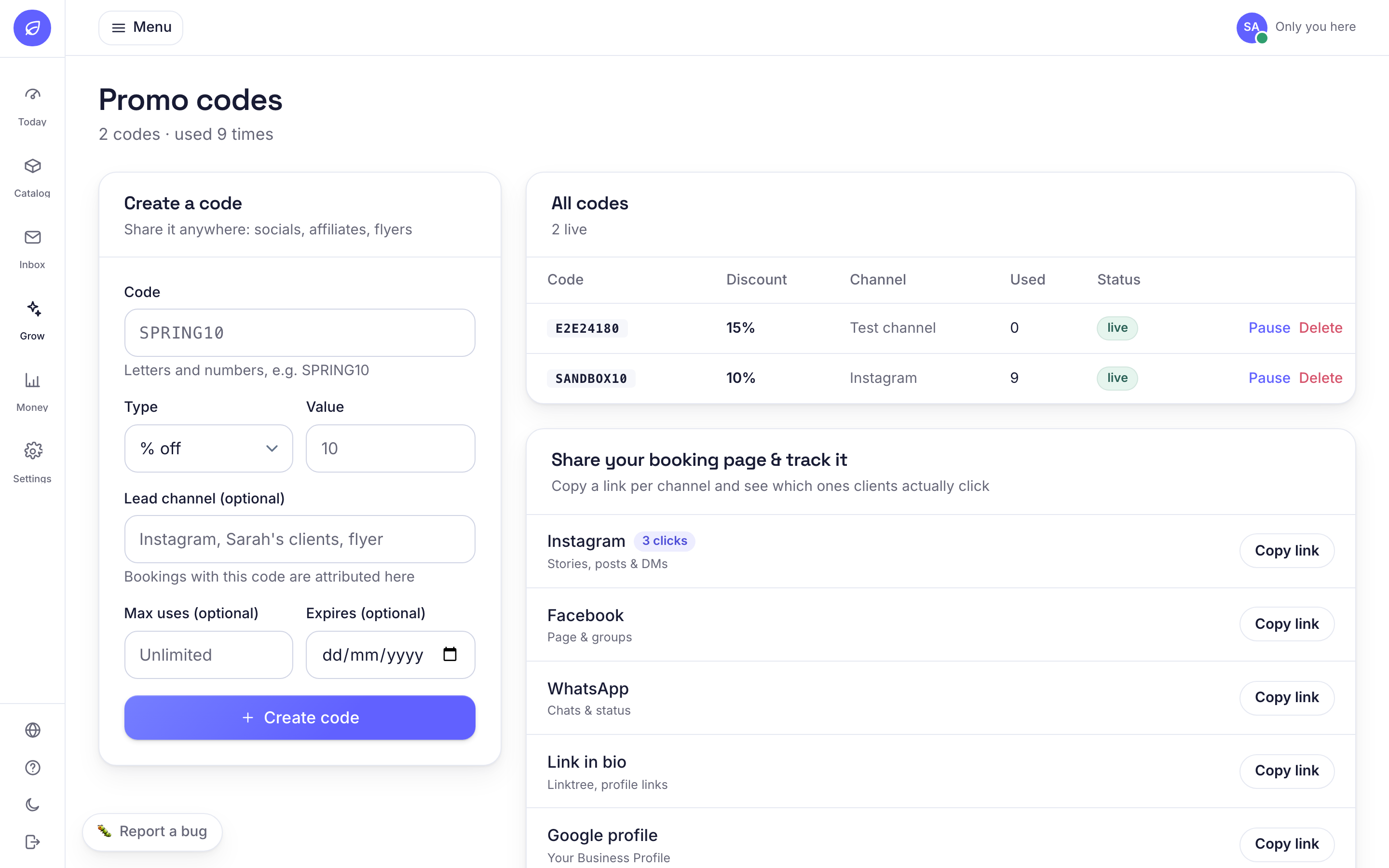
- 1Open Grow, Promo codes and create a code.
- 2Choose an amount or a percentage off, and whether it is for everyone or a group like seniors.
- 3Set a usage limit or an end date if it is a short campaign.
- 4Share the code per channel from the same page, or apply a standing discount to the right clients so it comes off automatically.
Related guides
Was this helpful?
Didn’t find what you need?
Contact support or browse the FAQ.