Put your menu online and take pickup orders
Show your food menu on your page and let guests order ahead for pickup.
What it is
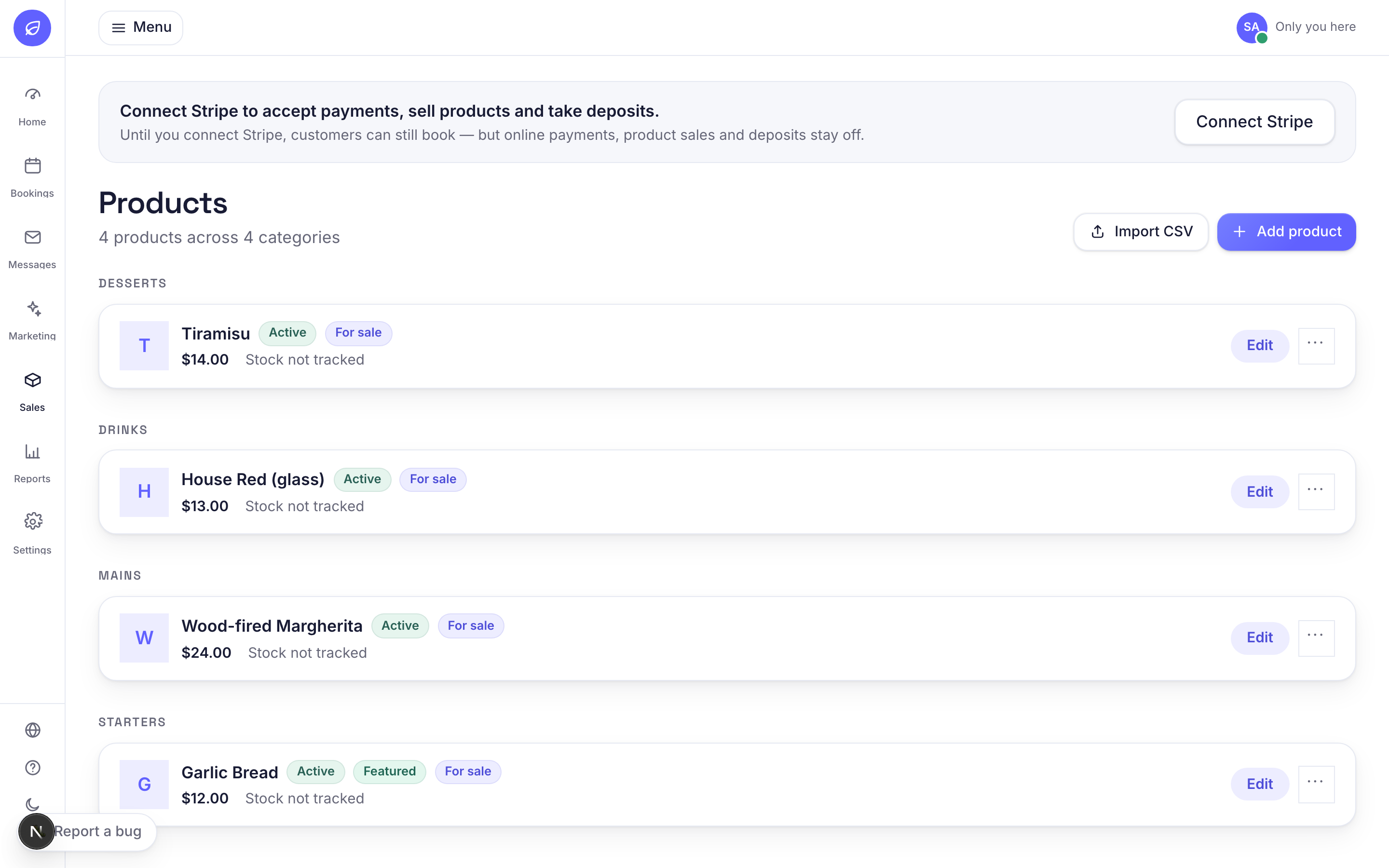
Restaurants can list their dishes as a menu on their public page and take pay-online, collect-in-store orders. Guests add items to a cart and pay, and you get the order as a ticket to prepare.
Why it helps
It turns your booking page into a simple ordering page too, with guests paying online and no commission taken.
How to use it
- 1Go to Menu (under Catalog). Add each dish with a name, price, a short description and a photo. Use the category to set the course, for example Starters, Mains, Drinks.
- 2Mark a dish as purchasable and give it a price so guests can order it. Leave it not-purchasable to show it as a display-only menu line.
- 3Your menu now shows on your public page. Guests add items to the cart and pay online.
- 4Paid orders arrive under Pickup orders. Work them through as you prepare and hand them over.
- 5To take payments you need Stripe connected, under Settings then Payments.
Related guides
Was this helpful?
Didn’t find what you need?
Contact support or browse the FAQ.